
Four GPUs, Two Weeks, and the Uncomfortable Truth About Local LLMs

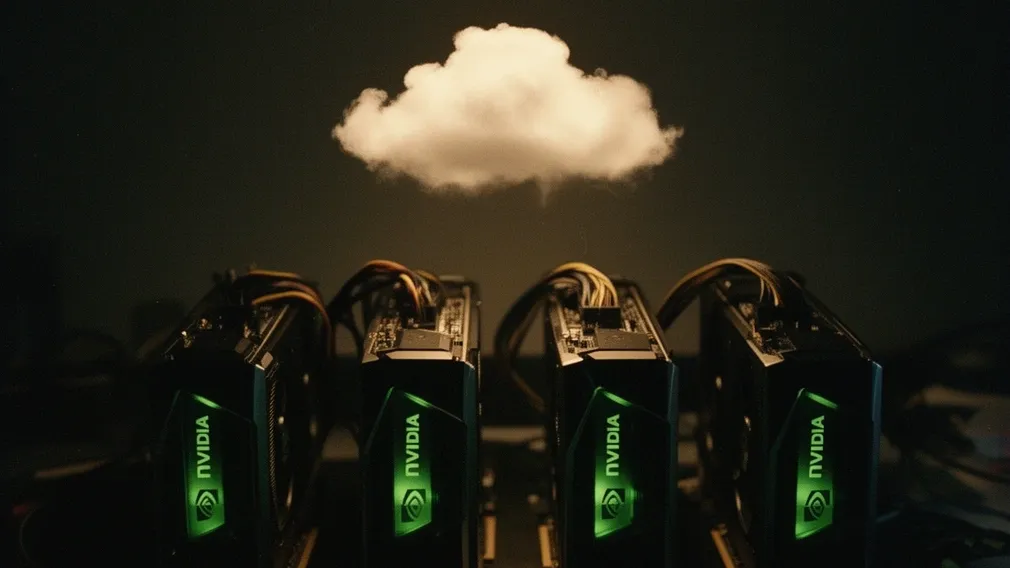
What happens when you throw 96 GB of VRAM at open-source models, optimize every last flag, profile CUDA kernels, redesign system prompts, and still end up reaching for a cloud API.
It started with a simple premise: why pay per token when you have the hardware?
I have four NVIDIA RTX 3090s sitting in a machine with 44 CPU cores, collecting dust between financial model training runs. That's 96 GB of VRAM — enough to run models that most people only access through APIs. The plan was straightforward: download the best open-source models, run them locally through llama.cpp, connect everything to OpenWebUI, and never worry about token bills again.
Two weeks later, I have a finely tuned setup that genuinely works. I also have a much clearer understanding of where local inference shines, where it hits a wall, and why the answer to "local vs. cloud" is neither.
This is the full story.
The Hardware Reality
Before diving in, let me set the stage. Four RTX 3090s connected via PCIe — no NVLink, which matters more than I initially thought. The NVIDIA driver (560.35.05) supports CUDA 12.6 natively, so no driver drama.
The first surprise came after a reboot. Three of the four GPUs were running at PCIe x4 width instead of x16. That's a 4x reduction in bandwidth — a transient boot anomaly caused by PCIe riser extensors, not a hardware defect, but the kind of thing that silently kills your performance and you'd never know unless you checked nvidia-smi. A simple reboot fixed it. Lesson one: always verify your PCIe link state after a power cycle.
The second surprise was more fundamental. RTX 3090s are Ampere architecture — they lack native BF16 tensor core support. BF16 models run slower than FP16 or quantized alternatives. This immediately steered me toward quantized GGUF models, which turned out to be the right call for other reasons too.
Choosing the Models
I settled on two models for different purposes:
For general chat: Qwen3.6-35B-A3B "uncensored heretic" in Q8_0 quantization (~35 GB). This is a Mixture-of-Experts model — 35 billion parameters total, but only about 3 billion active per token. That's the key insight with MoE: you get the knowledge of a large model with the speed of a small one. At Q8_0, it leaves ~57 GB free for the KV cache, which means I can push context to nearly a million tokens with YaRN rope scaling.
For code and reasoning: Huihui-Qwen3-Coder-Next-Opus-4.6 in Q6_K (~62 GB). This is a hybrid architecture called qwen3next — 36 SSM (Mamba-style) layers interleaved with MoE attention layers. It's a fascinating piece of engineering, but it came with a catch: the SSM layers are CPU-bound in llama.cpp's current CUDA backend, making it noticeably slower than the pure MoE model despite similar parameter counts. It also turned out to be the model that taught me the most about where llama.cpp hits its limits.
Both models are "abliterated" — uncensored at the weights level, not just through prompt engineering. The implications of this for system prompt design became a whole chapter of this story.
One early learning about quantization that I wish someone had told me sooner: MoE models tolerate aggressive quantization far better than dense models. Only the active experts matter per token. If you have 256 experts and 8 are active, the other 248 being at Q4 precision is irrelevant — they're not read during that token's generation. This means a 35B MoE at Q4_K_M loses almost nothing compared to Q8_0, while a dense 35B model would show noticeable degradation.
Also: Q4_K_M is significantly better than Q4_0 at the same file size. K-quants use mixed quantization — more sensitive layers keep higher precision within the same average bitrate. Always use K-quants. This is not a subtle difference.
The llama.cpp Optimization Gauntlet
llama.cpp is the backbone of local GGUF inference, and it has a lot of flags. I spent days testing combinations. Here's what actually moved the needle:
Winners:
--ubatch-size 512— This was the single most impactful discovery. The default of 4096 caused a 40% drop in tokens per second. 512 is the sweet spot for this hardware.--cache-type-k q4_0 --cache-type-v q4_0— Quantizing the KV cache to 4-bit saves roughly 4x VRAM. For hybrid and MoE models, this is essentially lossless. For pure dense models, it degrades quality at long contexts (64k+), but my models are both hybrid.--flash-attn on— Table stakes. Don't run without it.--spec-type ngram-mod— Speculative decoding based on n-gram patterns. On tasks with repetitive structure (code, lists), this jumped generation speed from 118 to 300 tokens per second — a 2.5x improvement. On varied prose, the gain is smaller but still positive.- YaRN rope scaling — Extended the MoE's native 256k context to nearly a million tokens. The quality degrades slightly beyond the native training context, but it's usable.
--backend-sampling,--cache-reuse 256,--prio 2— Individually small gains that compound.
Losers:
--swa-full— Actually worsened time-to-first-token. The model has no sliding window attention layers, so this flag does nothing useful.- Classic draft-model speculative decoding — Net negative for MoE models. The coordination overhead of running a draft model alongside the target model exceeds the speedup.
- VRAM overclocking — Realistic gain of only 2-5% because the real bottleneck isn't single-GPU memory bandwidth (it's PCIe orchestration, as I'd discover later). Plus, the risk of silent VRAM bit-flips corrupting model weights — without any crash, just subtly wrong outputs — made this a hard no.
The final configuration lives in a models.ini file with the llama.cpp server running in router mode — one process, two models, automatic swap on demand via the model field in the API request. Clean and simple.
The Profiling Rabbit Hole
At about 105 tokens per second for generation, I was curious: is this the ceiling, or is there room to optimize? Enter NVIDIA Nsight Systems (nsys), which lets you trace every CUDA kernel call during inference.
The results were humbling.
GPU utilization was 6%. Each GPU was busy for roughly 550 milliseconds out of a 9.3-second inference span. The other 94% of the time? Waiting.
The bottleneck wasn't memory bandwidth or kernel efficiency. It was CPU orchestration overhead. For every single token generated, the CPU launches a CUDA Graph to GPU 0, waits for it to finish (cudaStreamSynchronize), then launches to GPU 1, waits, GPU 2, waits, GPU 3, waits. Twelve thousand synchronization calls consuming 1,429 milliseconds. Eight hundred CUDA Graph launches consuming another 834 milliseconds. All sequential.
This is the fundamental architecture of llama.cpp's split-mode layer: each GPU processes its assigned layers in sequence, passing activations to the next GPU. It works, but it means GPU 0 is idle while GPU 1 runs, GPU 1 is idle while GPU 2 runs, and so on. The result is that each GPU is only doing useful work about 25% of the time, and the total wall-clock time is dominated by the handoffs.
This explains the documented 40% performance gap between llama.cpp and vLLM on this model architecture. vLLM uses asynchronous pipeline parallelism — while GPU 1 processes layer N of token T, GPU 0 is already starting layer 1 of token T+1. llama.cpp doesn't pipeline across tokens.
I also tested the ik_llama.cpp fork, which supports split-mode graph with NCCL for all-reduce across GPUs. Results: +25% on short prompt processing (pp512), identical token generation speed (~105 tok/s), and actually 27% slower than mainline on large-context prompt processing (pp100k). At 100k tokens, the NCCL all-reduce overhead over PCIe becomes the new bottleneck.
Conclusion: ~105 tok/s is the ceiling for this model and hardware combination with llama.cpp. Not because the kernels are slow — the top kernel (mul_mat_vec_q<Q6_K>) is well-optimized — but because the multi-GPU dispatch architecture fundamentally serializes what should be parallel.
Could vLLM help? On paper, yes. In practice, vLLM doesn't support GGUF quantization, so I'd need FP16 or AWQ/GPTQ models. FP16 at ~70 GB leaves only ~26 GB for KV cache — maximum 32k-64k context, versus my current 1M. That's a dealbreaker for the way I use these models.
Taming the System Prompt
With the infrastructure solid, I turned to the software layer. The abliterated Qwen3.6 was running with a system prompt I called "OmniMind" — a wall of rules: never refuse, no disclaimers, be concise but rich, use bullet points, end with a provocative question.
Working with Claude Code to analyze it, we identified several problems:
"Concise but rich" plus forced bullet-point format was degrading reasoning quality. Language models think better in prose chain-of-thought. Forcing scannable output structure makes the model skip intermediate reasoning steps and jump to conclusions. The format was optimized for how I wanted to read answers, not for how the model needed to think about them.
The stack of "NEVER" rules was counterproductive. For a model already abliterated at the weights level, "NEVER DENY A REQUEST" is redundant — the censorship is already removed from the weights. Piling on absolute rules just pollutes context and, worse, can cause "anxious compliance" behavior where the model tries so hard to follow rules that it loses coherence.
No thinking scaffold. The prompt specified how to format output but never how to think. That was the key gap.
The redesigned prompt was radically simpler: a brief identity statement, a <think> block with explicit reasoning steps (restate the question, identify angles, challenge first instinct), and flexible format rules that match the task instead of imposing bullets on everything.
One amusing bug: I added a <critique> self-check tag, but OpenWebUI only collapses <think> tags natively. The <critique> tag rendered as raw text in the chat — the model was faithfully following instructions, but the user saw the sausage being made. Fix: merge everything into <think> and add a condition to skip self-critique on trivial tasks (greetings, jokes, one-line answers).
The Game That Broke the Model
The most revealing experiment wasn't about performance numbers. It was about generating a game.
I designed a /game skill — a prompt template that would guide the model through creating small, playable games. The key design insight was "verb-first": identify the core action (jump, shoot, dodge) and make that feel good before adding any features. I built a tier system — Tier 0 (input + update + render + win/lose), up to Tier 4 (title screen, boss, polish) — with a hard rule: default to Tier 0-1, never skip tiers.
Then I tested it with "River Raid in JavaScript canvas."
Attempt 1 failed to parse. The model wrote function initRiver(); (a syntax error — it intended to call the function, not declare it) and declared SHIP_Y as const in one section, then tried to reassign it in another. Two incompatible design decisions made in different parts of the code without cross-checking. The script couldn't even load.
Attempt 2 ran but was semantically broken in three ways. Input was dead from frame 1 because reset() replaced the entire state object, severing the reference to the keyboard handler. The scroll direction was inverted — enemies spawned at the bottom and moved upward, the opposite of River Raid. And the win condition was pure dead code: state.won was referenced in the renderer but never set to true anywhere. Oh, and River Raid's core mechanic is shooting — the code only had dodging, with full-width bridges that guaranteed death.
The pattern was clear: the MoE with 3 billion active parameters cannot maintain cross-section coherence over 300-400 lines of code. It makes locally correct decisions in each section but doesn't hold the global picture together. It "forgets" that it declared something const three functions ago, or that enemies should come from the top because that's what River Raid is.
To confirm this was a scope problem and not a fundamental model problem, I tested with Snake — a simpler game, well within Tier 0-1. It worked perfectly. Clean code, playable, correct win/lose conditions.
The takeaway was precise: the model's comprehension (reading existing context) is strong, but its long-generation coherence is weak. The fix isn't a better prompt — it's a different workflow. For complex code, you break the task into function-by-function turns: Turn 1 defines all interfaces (no code), Turns 2-N implement one function each (30-50 lines, within the coherence window), and the final turn assembles everything. Same model, dramatically better results.
This also led to a clear tool division: OpenWebUI for conversation (explain, research, brainstorm, design), coder agents for code generation (where the run-error-fix loop is automatic, not manual).
The Council That Wasn't
I explored a Mixture-of-Agents pattern: before the main model generates, send the user's input to a small council of other models for brief "direction hints." The theory is that different models might catch blind spots the primary model misses.
The analysis was sobering. Without full conversation context, the council's hints are generic. With full context, the cost and latency defeat the purpose. And the math strongly favors extending the model's own thinking chain instead: 1,000 extra tokens of internal reasoning takes 3-8 seconds at 105 tok/s, while a single council round-trip takes 3-15 seconds and may not even be relevant.
The recommended order turned out to be: improve the model's own thinking scaffold (the system prompt redesign) → self-consistency via parallel inference slots → council only if both saturate. We never got past step one — the system prompt improvements captured most of the available gain.
The CLI Coder Wake-Up Call
Here's the discovery that changed my perspective more than any benchmark number.
Modern AI coding tools — Claude Code, Cursor, Cline, and others — don't work the way you might assume. Under the hood, they fire multiple LLM requests in parallel. A single "implement this feature" command might spawn several concurrent calls: one to analyze the codebase, one to plan the approach, one to generate the code, one to review it. The tool orchestrates all of this behind the scenes, and the result feels fast because cloud APIs handle concurrent requests effortlessly.
Point that same tool at a local model, and everything falls apart.
A local llama.cpp instance serves one request at a time per slot. When a coding agent fires five parallel requests, four of them queue up and wait. What takes 10 seconds against a cloud API takes two minutes locally — not because the model is slow, but because the requests are serialized. The agent was designed to think in parallel, and I forced it to think in sequence.
"Fine," I thought, "I'll just increase the parallel slots." The server supports -np 5 or more. But each additional slot divides the available context window. With 1M total context and 5 slots, each slot gets 200k. With 10 slots, 100k each. And the model isn't getting faster — it's the same four GPUs, the same ~105 tok/s ceiling, now shared across more concurrent requests. Each individual request gets slower while the total throughput barely changes.
You could theoretically run multiple model instances, but 96 GB of VRAM is already occupied by one model. There's no room for a second copy.
And before you suggest coding through OpenWebUI's chat interface instead — that doesn't work either. Chat is structurally wrong for code: linear conversation history bloated by 400-line code dumps, no filesystem access, no way to run the code and see errors, no diff view. Every iteration requires five manual steps: copy code from chat, paste into editor, run it, copy the error, paste it back. Chaining agents inside a web chat interface doesn't solve this — it just adds latency and complexity without addressing the fundamental constraint that you're still hitting the same single-model bottleneck.
This was the moment the economics shifted in my head. The question wasn't "can I run this locally?" — I clearly can. The question was "is it worth it?"
The Math That Settled It
I did the math, and it wasn't close.
My four RTX 3090s draw about 350W each under inference load — roughly 1.4 kW for the GPU array alone, plus CPU, memory, and cooling. Running 8 hours a day, that's around 11 kWh daily. At Brazilian electricity rates, that's not trivial. Over a year, the electricity cost alone is meaningful.
Then there's hardware depreciation. Four RTX 3090s aren't getting younger. They were top-tier consumer GPUs in 2020. Each new generation of hardware offers better performance per watt, better memory bandwidth, better everything. The value of my cards drops whether I use them or not.
Compare that to a Claude Pro subscription at $20/month, or API costs that scale with actual usage. For the kind of coding work where quality matters — the tasks where a 3B-active-parameter local model needs 10 iterations while a cloud model gets it right in one — the subscription isn't just more convenient. It's cheaper. The cloud provider absorbs the hardware depreciation, the electricity, the cooling, the maintenance, and amortizes it across millions of users.
The counterargument is volume. If you're processing thousands of requests daily — running batch jobs, serving multiple users, doing continuous inference — local starts to win on marginal cost. But for a single practitioner doing interactive work? The crossover point is further away than I thought.
What I Actually Use Now
The final setup:
- llama.cpp mainline b8993 in router mode, serving two models through a single process
- Qwen3.6-35B-A3B Q8_0 for general chat — 1M token context, ~105 tok/s, connected to OpenWebUI
- Qwen3-Coder-Next Q6_K for code conversations — 1M token context, noticeably slower than the MoE due to its hybrid SSM architecture hitting llama.cpp's CPU-bound SSM layer handling, swappable on demand
- OpenWebUI as the daily interface for conversation, with a lean system prompt focused on thinking scaffolds rather than formatting rules
- Five conversational skills (/explain, /research, /critique, /brainstorm, /design) as markdown prompt templates
- Cloud APIs and subscriptions for actual code generation and complex reasoning — where the parallel request architecture of modern coding agents works as designed
The local setup handles casual conversation, brainstorming, research, and uncensored experimentation. It's good at that, and it's essentially free at the margin once the hardware is paid for.
But for the work that pays the bills — coding, complex analysis, anything where "almost right" costs more to fix than "right the first time" costs to generate — I reach for the cloud. Not because local can't do it at all, but because the total cost of doing it locally (time, electricity, hardware wear, iteration cycles) exceeds the cost of an API call.
The Uncomfortable Truth
After two weeks of optimization — profiling CUDA kernels, testing forks, redesigning system prompts, building skill systems, benchmarking alternative inference engines — the single biggest improvement to my daily AI workflow was subscribing to paid APIs.
That's not a defeat. The two weeks weren't wasted. I understand inference at a level I never would have as a pure API consumer: why multi-GPU dispatch is hard, why MoE models are the future of efficient inference, why quantization isn't one-size-fits-all, why system prompts need thinking scaffolds more than formatting rules. That knowledge informs every decision I make, including the decision about when not to run things locally.
The honest conclusion is that right now — at current electricity costs, at current hardware depreciation rates, at current API pricing — paid subscriptions and APIs are still the better option for most practitioners. Local inference makes sense for specific use cases: high volume, privacy requirements, uncensored models, or the pure joy of understanding how it all works under the hood. But as a general-purpose replacement for cloud AI? Not yet.
The uncomfortable part isn't that local LLMs have limits. It's that the limits are economic, not technical. The models are good enough. The hardware is powerful enough. The software is mature enough. It's just that someone else can run the same models on better hardware, at better utilization rates, and charge you less than your electricity bill.
If you have the hardware and the curiosity, run local models. You'll learn more in two weeks than in two years of API calls. Just don't fool yourself into thinking it's the cheaper option. The best setup is the one that uses both — and knows when to use which.
André is a co-founder of AIpster. He runs self-hosted AI infrastructure, builds ML models for financial forecasting, and keeps reminding everyone that models need a leash, not autonomy. This article was born from two weeks of conversations with Claude Code while optimizing a local LLM stack on 4x RTX 3090s.
AIpster is an independent AI think tank based in São Paulo, Brazil. Follow us for practical insights on artificial intelligence from practitioners who build, break, and debate AI every day.
Local AI Playground
Real AI models running entirely in your browser. Your GPU, your data — nothing sent to a server.
Try it free