I Stopped Learning n8n. I Just Told My Coding Agent What I Wanted

How an MCP server turned a visual automation tool into something a developer can actually move fast with — and what that means for the way we build workflows.
It started with a newsletter.
Our AI think tank, AIpster, needed a daily digest: aggregate news from the best AI sources, summarize each article with an LLM, format everything into a clean email, and send it to the group every morning at 7am. Simple enough in concept. The kind of thing n8n was literally built for.
So I opened n8n's visual canvas, stared at the blank workflow, and started dragging nodes. Schedule Trigger. RSS Read. Another RSS Read. Another. A Set node to tag each feed's source. Another Set. Another. A Merge node to combine everything. A Filter for the last 24 hours. An AI Agent for summarization. An Aggregate. A Code node to build the HTML. A Gmail node to send it.
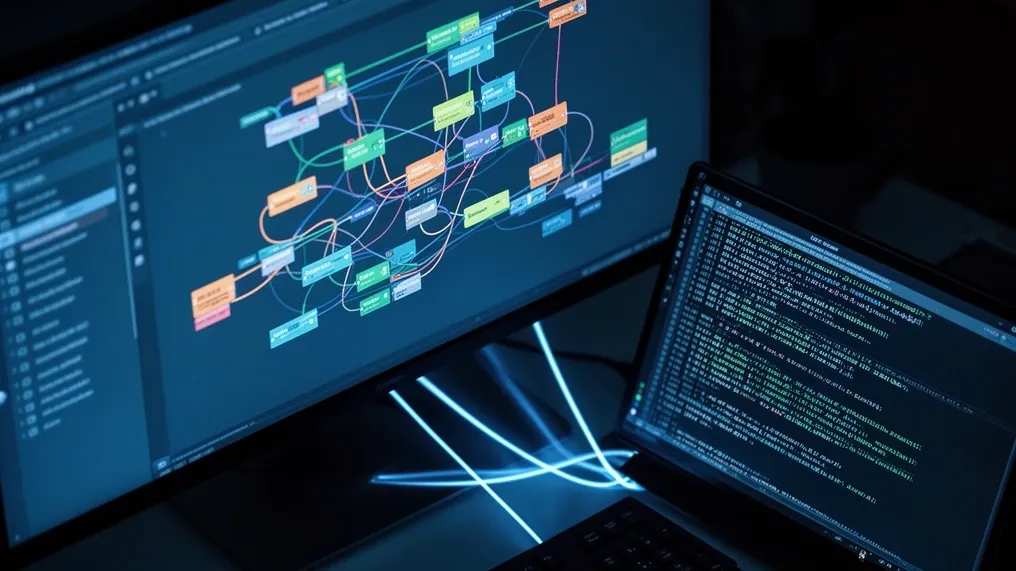
Twenty-eight nodes later, I had a working workflow. It looked like a subway map designed by someone who'd never seen a subway. But it worked. I showed it to the group.
Luiz's response was immediate: "Why do you have nine identical RSS nodes? Use a data table and loop over it."
He was right. I knew he was right. The problem was that fixing it meant learning how n8n's Split In Batches node works, how data tables connect to workflows, how to preserve context through a loop iteration, how paired items track through AI nodes — a dozen implementation details that have nothing to do with the actual goal of "send me AI news every morning."
That's when I discovered that n8n has an MCP server.
What MCP Actually Changes
MCP — Model Context Protocol — is a standard that lets AI coding agents talk to external tools through a structured interface. n8n ships an MCP server that exposes its entire workflow engine: creating workflows programmatically, reading node type definitions, validating code, searching for available nodes, managing data tables, executing and testing workflows.
The practical implication took a minute to sink in. Instead of dragging nodes on a canvas, I could describe what I wanted to a coding agent that had full access to n8n's node library, knew the exact parameter names and types for every node, and could build, validate, and deploy workflows through code. Not generated YAML that I'd paste somewhere. Direct API access to the running n8n instance.
This isn't "AI writes code and you copy-paste it." The agent reads the SDK reference, searches for the right nodes, pulls their TypeScript type definitions, writes the workflow code, validates it against n8n's parser, and creates it directly in the running instance. If something fails validation, it reads the error, fixes the code, and tries again. The feedback loop is seconds, not minutes.
Version 1: The Manual Build
The first version of the newsletter workflow was built entirely through n8n's visual editor. Every node was placed manually. Every connection was dragged by hand.
The architecture was straightforward but verbose:
Schedule Trigger ─┬─→ RSS Read (OpenAI) ──→ Set (source=OpenAI) ──────┐
                  ├─→ RSS Read (HuggingFace) → Set (source=HF) ───────┤
                  ├─→ RSS Read (TechCrunch) ─→ Set (source=TC) ───────┼→ Merge → Filter → ...
                  ├─→ RSS Read (MIT) ────────→ Set (source=MIT) ──────┤
                  └─→ ... (5 more) ──────────→ ... (5 more) ─────────┘
Nine RSS feeds meant nine RSS Read nodes and nine Set nodes just for source tagging. Then a Merge with nine inputs. Then the rest of the pipeline.
It worked. The emails arrived every morning with AI news summaries in Portuguese. But the workflow was brittle in a specific way: adding a new RSS feed meant adding two nodes, reconnecting the Merge, incrementing its input count, and testing everything again. Removing a feed was the same process in reverse. The workflow's structure was coupled to its data.
Along the way, I hit several problems that taught me things about n8n I'd rather not have learned the hard way:
The OpenAI node's Responses API. n8n's OpenAI node (version 2.3) silently switched from the /chat/completions endpoint to OpenAI's newer Responses API. This sends a store parameter that third-party proxies — like OpenRouter, which I was using — don't accept. The error message ("Invalid input: expected false") gives you almost nothing to work with. The fix was to use n8n's native OpenRouter Chat Model sub-node through an AI Agent node instead.
Paired item tracking through AI nodes. After the AI Agent summarized each article, I needed to recombine the summary with the original title, link, and source. n8n has a concept called "paired items" that's supposed to track which output item corresponds to which input item. The AI Agent node breaks this tracking. Using .item returns the first item for every row. Using .itemMatching($itemIndex) — the documented fix — also returned the first item. The solution that actually worked was .all()[$itemIndex], referencing the node immediately before the AI Agent, not an earlier node in the chain. If you reference a node too far upstream, you get the pre-filter array (799 items) instead of the post-filter one (20 items), and everything maps to the wrong source.
These aren't bugs exactly. They're the kind of implementation details that cost you two hours when you hit them and zero hours when someone who's already hit them tells you the answer. Which is precisely what a coding agent with access to community knowledge can do.
Version 2: The Refactor That Took Ten Minutes
When Luiz pointed out the repetition problem, I connected the coding agent to n8n's MCP server and described what I wanted: "Read RSS feed URLs from a data table instead of hardcoding them. Loop over each row, fetch the feed, tag it with the source name, and continue to the existing pipeline."
The agent's process was methodical. First, it called get_sdk_reference to learn the workflow SDK patterns. Then search_nodes to find the data table, splitInBatches, and RSS nodes. Then get_node_types with the exact discriminators to get TypeScript definitions for every parameter. Then it wrote the workflow code, called validate_workflow, got a clean parse, and created it directly in my n8n instance via create_workflow_from_code.
The new architecture:
Schedule Trigger
    ↓
Data Table (Get Rows where active=true)
    ↓
Split In Batches (batch size 1)
    ├─→ RSS Read (URL from current row)
    │      ↓
    │   Set (source from current row)
    │      ↓
    └──← (back to loop)
    ↓
Filter (24h) → Remove Duplicates → Limit → AI Agent → ...
Twenty-eight nodes became fifteen. Nine RSS Read nodes became one. Nine Set nodes became one. Adding a new feed went from "edit the workflow, add two nodes, reconnect the Merge" to "add a row in the data table." No workflow edit needed.
The data table itself became a management interface:
| source | url |
|---|---|
| openai | https://openai.com/blog/rss.xml |
| huggingface | https://huggingface.co/blog/feed.xml |
| https://blog.google/technology/ai/rss/ | |
| the-decoder | https://the-decoder.com/feed/ |
| techcrunch | https://techcrunch.com/category/artificial-intelligence/feed/ |
| mit | https://news.mit.edu/topic/artificial-intelligence2/rss |
| venturebeat | https://venturebeat.com/category/ai/feed/ |
| marktechpost | https://www.marktechpost.com/feed/ |
| artificialintelligence-news | https://www.artificialintelligence-news.com/feed/ |
Want to temporarily disable a feed? Add an active column and set it to false. Want to add categories or priority tiers? Add columns. The workflow doesn't change.
The entire refactor — from "Luiz says use a data table" to "v2 is created and ready to test" — took about 5 minutes. Not because the work was trivial, but because the coding agent handled every implementation detail: the SDK patterns, the node parameter names, the expression syntax for referencing loop variables, the connection wiring between nodes. I described the architecture; it handled the plumbing.
Version 3: Design Feedback in Real Time
Then Guilherme looked at the email and had opinions about the HTML.
The v2 email was functional but plain: a flat list of summaries with links, grouped by source. Guilherme wanted colored cards per source, a gradient header, badges with source names, and translated titles — the original feeds are in English, but the newsletter should be entirely in Portuguese.
This was a different kind of change. Not architectural (the pipeline was fine) but presentational (the AI prompt and the HTML template needed rework). Normally this would mean: edit the AI Agent's prompt to include title translation, figure out how to parse a structured response with both translated title and summary, rewrite the Code node's HTML template, test with real data, iterate on the design.
Through MCP, the coding agent read the existing v2 workflow directly from n8n, understood the current prompt and HTML structure, and made targeted changes:
The AI prompt was updated to return a structured format — TÍTULO: <translated title> followed by RESUMO: <summary> — so the downstream Set node could parse both fields from the model's output.
The Format Output node was updated to split on those markers and extract each field.
The HTML template was redesigned with a gradient blue header, per-source colored cards with box shadows, source badges with unique colors per feed, and "Ler artigo completo →" call-to-action links. The entire email renders in Portuguese.
Each change was validated and pushed to n8n through MCP. I could test the workflow, see the email, give feedback ("the badge colors are too similar," "the header gradient is too aggressive"), and the agent would update the workflow in place. The iteration cycle was conversational, not procedural.
One non-obvious fix that came up during v3: the AI model sub-node was using an OpenAI-compatible proxy (Meridian, fronting Anthropic's Claude Haiku) that only supports /v1/chat/completions. But n8n's lmChatOpenAi node version 1.3 switched to calling /v1/responses by default — a newer OpenAI endpoint that third-party proxies don't implement. The error message was "Endpoint not supported: POST /v1/responses." The fix was adding responsesApiEnabled: false to the node's parameters. The coding agent identified this from the error, knew the fix from n8n's node type definitions, and applied it in the same update cycle. This is exactly the kind of integration detail that would have cost me a forum search and thirty minutes of trial and error.
What This Pattern Actually Is
Looking back at the three versions, the pattern is clear:
v1 was me learning n8n's interface by placing nodes one at a time. Valuable for understanding, expensive in time, and it produced a workflow that encoded its configuration in its structure.
v2 was me describing an architecture to a coding agent that knew n8n's node library. It produced a cleaner workflow in a fraction of the time because the agent handled the translation from "what I want" to "how n8n implements it."
v3 was me relaying design feedback from a teammate to the same agent, which made surgical changes to a running workflow. The feedback loop was minutes, not hours.
The common thread isn't "AI wrote my workflow." It's that MCP eliminated the translation layer between intent and implementation. I didn't need to learn that splitInBatches requires a batchSize parameter of type number, that the RSS Read node's URL field accepts expressions, that $json.source references the current item's source field, or that responsesApiEnabled is a thing that exists. The agent knew all of that, and I didn't need to.
This is different from code generation in a fundamental way. When a coding agent generates a Python script, you still need to understand the output well enough to debug it, extend it, and maintain it. With MCP-connected workflow automation, the workflow runs inside the platform. The platform handles execution, scheduling, error reporting, and monitoring. The workflow is inspectable through n8n's visual editor at any time. If something breaks, you can see exactly which node failed, with what data, and what error — without reading the code that created it.
The Uncomfortable Parallel
In my previous article, I wrote about spending two weeks optimizing local LLMs and concluding that cloud APIs were still the better option for most practitioners. The punchline was: the biggest improvement to my daily AI workflow was subscribing to paid APIs.
This story has a similar structure. I spent hours learning n8n's visual editor — understanding node types, connection patterns, expression syntax, paired item tracking — and the biggest improvement to my workflow development speed was connecting a coding agent via MCP.
But unlike the local LLM story, this one isn't about economics. It's about abstraction layers.
n8n's visual editor is designed for a specific user: someone who wants to build automations by understanding each component. That's a valid approach, and it works well for simple workflows. But as complexity grows — loops, data tables, AI nodes with proxy quirks, HTML templates, structured AI outputs — the visual editor becomes a bottleneck. Not because it's bad, but because the abstraction is wrong for the task. You're thinking about architecture while the tool wants you to think about nodes.
MCP lets you operate at the architecture level. "Read feeds from a table and loop over them" is a sentence. The fifteen nodes, twelve connections, and forty-seven parameters that implement it are details the agent handles. When Guilherme says "I want colored cards with source badges," that's a design spec. The CSS, the HTML structure, the JavaScript template logic — those are details the agent handles.
The human stays at the level where the decisions matter. The agent handles the level where the implementation lives.
What I'd Tell Someone Starting Today
If you're setting up n8n for the first time, here's what I wish I'd known:
Install the MCP server from day one. Don't wait until you've manually built three workflows and want to refactor them. Connect your coding agent to n8n's MCP server before you place your first node. The visual editor is useful for understanding what a workflow looks like, but building through MCP is faster for anything beyond a three-node chain.
Use data tables for any list of things. RSS feeds, email recipients, API endpoints, prompt templates — if you have three or more of the same kind of thing, put them in a data table. Your workflow reads the table; your configuration lives in the table. When someone says "add this feed" or "remove that recipient," you edit a row, not a workflow.
Watch out for node version changes. n8n evolves fast, and node behavior changes between versions in ways that aren't always obvious. The OpenAI node switching to the Responses API, the lmChatOpenAi node defaulting to /v1/responses, the deprecation of N8N_RUNNERS_ENABLED — these are all things that worked yesterday and broke today. A coding agent with access to current node type definitions catches these faster than documentation does.
Keep your old workflows. I still have v1 active as a reference. When v2 was ready, I kept v1 running until v2 was tested. When v3 was ready, same thing. Workflow versioning in n8n 2.0+ (the Publish/Draft system) helps, but having the previous version as a separate workflow is a safety net that costs nothing.
Set up error notifications immediately. Create a simple Error Workflow (Error Trigger → Gmail) that emails you when any workflow fails. Daily automations that fail silently are worse than no automation at all — you think you're getting news, but you're not, and you won't notice until someone asks why you missed the big announcement.
What Comes Next
The newsletter is running. v3 delivers a formatted, translated, source-tagged daily digest to the AIpster group every morning. Adding a new source is a one-row operation. Changing the design is a conversation with the coding agent.
But the real takeaway isn't about newsletters. It's about what happens when automation platforms expose their internals through protocols like MCP. The value of n8n stopped being "a visual tool for building workflows" and became "a workflow execution engine that my coding agent can program." The visual editor is still there — I use it to inspect, debug, and understand. But building happens through the agent.
Every automation platform that doesn't offer this kind of programmatic access is leaving value on the table. And every practitioner who's manually dragging nodes when they could be describing intent is spending time on translation instead of thinking.
The best tool isn't the one with the most features. It's the one that lets you work at the right level of abstraction. For me, that turned out to be a coding agent with an MCP connection to n8n — not because n8n's editor is bad, but because my time is better spent deciding what the workflow should do than figuring out how to make it do it.
André is a co-founder of AIpster. He self-hosts AI infrastructure, builds ML models for financial forecasting, and recently discovered that the fastest way to learn an automation platform is to let an AI agent learn it for you. This article was built from real workflow iterations on a self-hosted n8n instance connected to a coding agent via MCP.
AIpster is an independent AI think tank based in São Paulo, Brazil. Follow us for practical insights on artificial intelligence from practitioners who build, break, and debate AI every day.
Local AI Playground
Real AI models running entirely in your browser. Your GPU, your data — nothing sent to a server.
Try it free